
Kahoot is an online game-based learning platform widely used in schools, colleges, training sessions, and virtual classrooms. It allows teachers and presenters to create interactive quizzes, while students or participants join and answer questions in real time using their own devices.
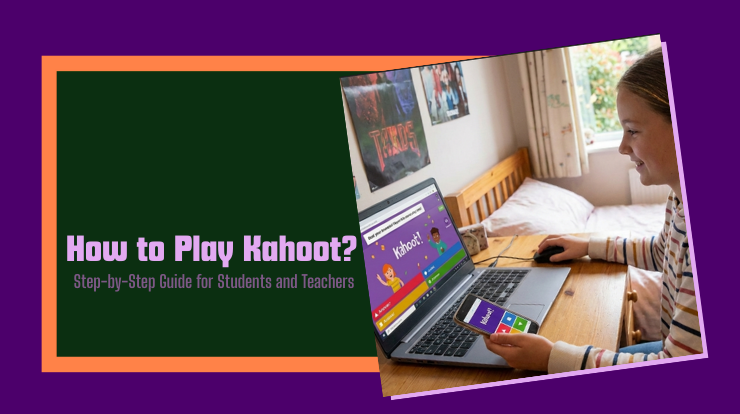
Learning how to play Kahoot step by step is important for students and teachers because it helps make learning more engaging, improves participation, and supports both in-class and remote education. Kahoot is commonly used for quizzes, revision sessions, surveys, and informal assessments.
Table of Contents
In this guide, you will learn:
- What Kahoot is and how it works
- How teachers create and host a Kahoot game
- How students join and play Kahoot
- Important rules, limitations, and common mistakes
- What Is Kahoot? Complete Beginner Guide for Students & Teachers
This article is written in simple English and is suitable for beginners and global users.
Key Overview
| Aspect | Details |
|---|---|
| Platform Type | Game-based learning platform |
| Who Can Use It | Teachers, students, trainers, learners |
| Devices Supported | Computer, laptop, tablet, smartphone |
| Account Needed | Required for hosts; optional for players |
| Joining a Game | Via game PIN at kahoot.it or Kahoot app |
| Question Types | Multiple choice, true/false, others (plan-dependent) |
| Usage Mode | Live (real-time) and self-paced (assignments) |
| Cost | Free plan available; paid plans offer more features |
What Is Kahoot and How It Works
Kahoot is a web-based platform where:
- A host (usually a teacher) creates or selects a quiz called a Kahoot
- Players (students) join the game using a unique PIN
- Questions appear on the host’s screen
- Players answer on their own devices
- Points are awarded based on accuracy and response time
Kahoot is designed to support interactive learning, not formal examinations.
Who Can Use Kahoot
For Teachers and Educators
- Create quizzes for classroom learning
- Conduct revision or formative assessments
- Encourage participation through gamification
For Students and Learners
- Join games using a PIN
- Answer questions on personal devices
- Learn through interactive quizzes
For Other Users
- Trainers, corporate instructors, and facilitators
- Parents supporting learning at home
How Teachers Can Create and Host a Kahoot
Step 1: Create an Account
- Go to kahoot.com
- Click Sign up
- Choose the appropriate role (teacher, student, etc.)
- Complete the registration process
Step 2: Create a Kahoot Quiz
- Log in to your Kahoot account
- Click Create
- Add questions and answer options
- Select the correct answer
- Set time limits and points (optional)
- Save the Kahoot
Step 3: Host the Game
- Open the Kahoot you created
- Click Start
- Choose game mode (live or assigned)
- A game PIN will appear on the screen
How Students Can Join and Play Kahoot
Step 1: Join the Game
Students can join using:
- kahoot.it on a web browser
- The official Kahoot mobile app
Steps:
- Enter the game PIN
- Enter a nickname (subject to host settings)
Step 2: Answer Questions
- Questions appear on the host’s screen
- Answer choices appear on the player’s device
- Select the correct answer before time runs out
Step 3: View Scores and Feedback
- Points are shown after each question
- Leaderboards may appear depending on settings
- Final results are shown at the end
Important Rules / Limitations / Conditions
- A stable internet connection is required
- Hosts must have a Kahoot account
- Players may be removed for inappropriate nicknames (host-controlled)
- Free plans have limited question types and features
- Advanced reports and collaboration tools may require paid plans
- Kahoot is designed for learning and engagement, not secure exams
If features vary, it depends on the plan and updates from the official platform.
Common Mistakes & Misunderstandings
Mistake 1: Thinking Students Need an Account
- Reality: Students can join games without creating an account using a PIN
Mistake 2: Confusing Kahoot with Exam Software
- Kahoot is not designed for proctored or high-security testing
Mistake 3: Using Unstable Internet
- Poor connectivity can cause delays or missed answers
Mistake 4: Inappropriate Nicknames
- Hosts can enable filters or remove players if needed
Mistake 5: Not Checking Game Settings
- Time limits and points should match learning objectives
Is Kahoot free to use?
Yes, Kahoot offers a free plan with basic features. Paid plans provide additional tools.
Do students need to sign up to play Kahoot?
No, students can join using a game PIN without an account.
Can Kahoot be used for online classes?
Yes, Kahoot supports live games and self-paced assignments for remote learning.
What devices support Kahoot?
Kahoot works on computers, laptops, tablets, and smartphones with internet access.
Is Kahoot safe for students?
Kahoot includes moderation tools, nickname filters, and privacy controls for hosts.
Can Kahoot be played alone?
Yes, some modes allow self-paced play depending on settings.
Does Kahoot work worldwide?
Yes, Kahoot is accessible globally where internet access is available.
Kahoot is a simple and effective tool for making learning interactive and engaging. By understanding how to play Kahoot step by step, teachers can create meaningful learning experiences, and students can actively participate using their own devices.
This guide explained how Kahoot works, how to host and join games, key rules, and common mistakes to avoid. When used correctly, Kahoot supports active learning in both classroom and online environments.
Sources & References
- Kahoot Official Website – https://kahoot.com
- Kahoot Help Center – https://support.kahoot.com
- Kahoot for Schools Documentation – Kahoot official resources
- Educational technology guides from reputed learning platforms
(All information is based on publicly available and verifiable sources.)